
Theme
Dockerfile App
Deploy your application from its repository Dockerfile. NitHost builds and runs one application container for the site.
Who can use this page? Site Manager.
What NitHost allows
- Build the configured Dockerfile
- Run one application container on a private network
- Platform-managed databases, object storage, SMTP, TLS, routing
- Memory/PID limits, restart policy,
no-new-privileges - Optional one managed persistent data path
What is intentionally unsupported
- Arbitrary Compose stacks
- Privileged mode
- Host networking
- Docker socket injection into app containers
- Arbitrary host-path mounts
Configure
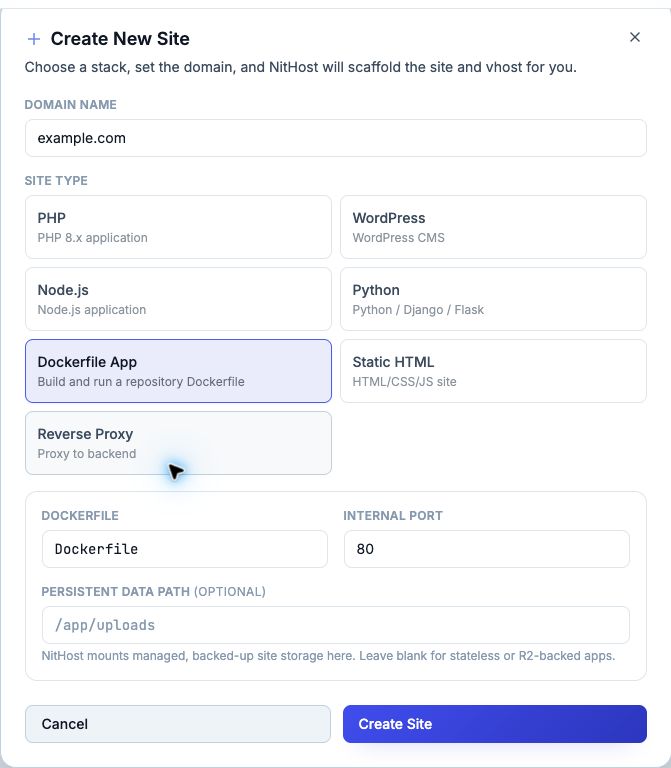
After creating a Dockerfile App site (and/or opening Git Deployment):
| Field | Example |
|---|---|
| Application root | . |
| Dockerfile | Dockerfile |
| Internal port | 80 (app port — not published on the host) |
| Health check | /api/health/ready |
| Persistent data path | /app/uploads (optional) |
| Frontend configuration | Non-sensitive vars with Available at build time |
Shared Nginx reaches the container on the private NitHost network.
Environment variables
- Sensitive → runtime only (passwords, API keys, DB URLs)
- Available at build time → passed as Docker build args; Dockerfile must declare matching
ARGs - Never mark credentials as build-time
Persistent data
Prefer R2/S3 for uploads. If local durable files are required, set one absolute Persistent Data Path — NitHost mounts the site’s managed, backed-up data directory there.
Resource limits
Application memory, process counts, and build duration are limited by the hosting service. Contact NitHost support if your application reaches a resource limit.
Deploys and rollback
Each successful commit builds an immutable local image. Failed health checks restore the previous image. Available rollback history depends on your service’s retention policy.
Deployment activation can briefly interrupt requests while the new application starts and passes its health check.